CoreSample.MauiForm
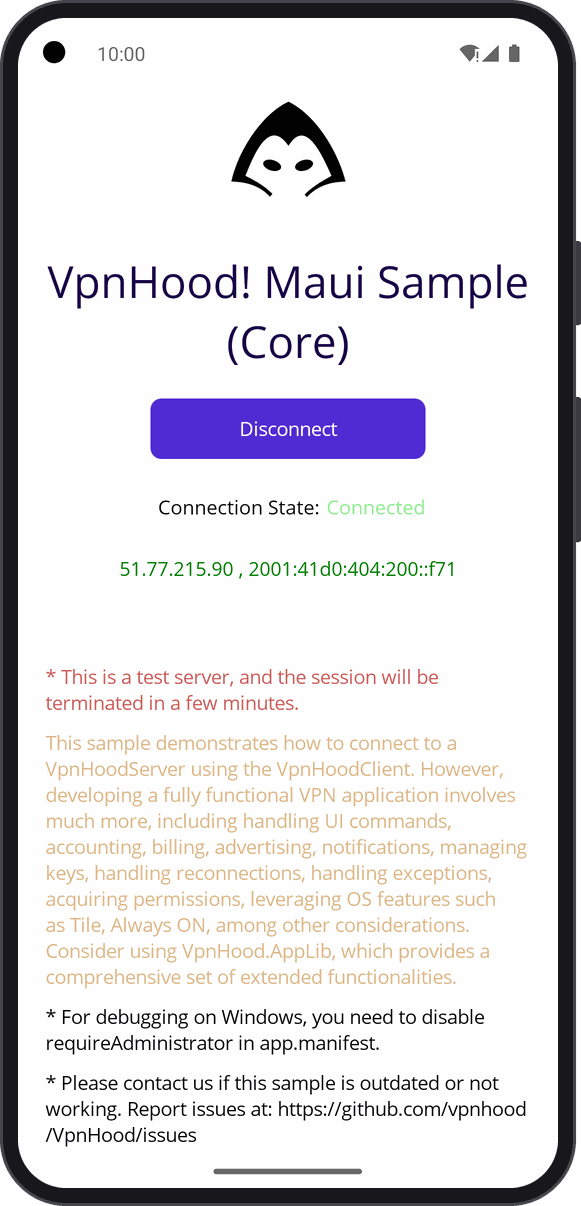
The VPN engine alone in a MAUI app, on Android and Windows: one page whose Connect starts the VPN service through
VpnServiceManager, connected to VpnHood's test server, with the connection's state and your public IP addresses,
the server's once connected.
Who it is for: you write a MAUI app and want the VPN in it on Android and Windows, with screens of your own, and handle access keys, reconnection and the rest yourself.
What you need
- An Android phone or emulator, or Windows.
- The .NET SDK the project targets, with the
maui-androidworkload, andmaui-windowsfor Windows. - On Windows, administrator rights, which Platforms/Windows/app.manifest asks for: the WinTun adapter adds a network interface.
Run it
Open the project in Visual Studio and run it on an Android emulator or device, or on Windows Machine. The first Connect on Android brings its connection request: OK lets the app make a VPN.
Read first
- MauiProgram.cs: the
VpnServiceManagerover the platform's device. - Platforms/Android/MainApplication.cs and
Platforms/Windows/App.xaml.cs: the device each platform gives it,
AndroidDeviceorWindowsDevice. - MainPage.xaml.cs: Connect and Disconnect, and the state on the page.
A whole VPN app needs much more: reconnection, keys, notifications, ads, billing. For that, see AppLibSample.MauiForm, or start from VpnHood.App.Template.